

Description
Download Kool Replay APK – action video, high quality video, instant video capture, smartphone video, fixed camera, adventure footage, extreme sports video, real-time video, Kool Replay app
Overview
Kool Replay is a mobile application designed for Android devices that enables users to capture high-quality action videos automatically while moving through designated zones at participating locations. The app leverages fixed-based cameras installed at specific sites to record real-time footage of users, eliminating the need for manual filming. This innovative approach ensures that users can focus on experiencing their activities—whether extreme sports, adventure challenges, or recreational fun—without the distraction of operating a camera.
The primary purpose of Kool Replay is to deliver professional-grade video content from a third-party perspective, overcoming the limitations of self-filming with handheld or wearable cameras. By integrating smartphone technology with permanent camera setups, the app creates a seamless experience where users simply walk or move through a designated zone, and a high-quality video is generated seconds later. The target audience includes outdoor enthusiasts, adventure seekers, and casual users who value high-quality visual documentation of their moments.
Developed by Kool Replay, the application is positioned as a free multimedia tool that enhances user engagement at interactive sites. While the developer did not provide additional background on their company or technical infrastructure, the app’s functionality suggests a focus on location-based video capture. Real-world usage scenarios include skate parks, obstacle courses, zip-line parks, and other adventure venues where participants seek dynamic, cinematic footage.
Key Features & Capabilities
- Instant Video Capture – Automatically records high-quality videos when users enter designated zones, minimizing delays and effort.
- Third-Party Perspective – Uses fixed cameras with optimized positioning to deliver superior angles compared to self-filmed footage.
- High Definition Output – Produces HD-quality videos with clear detail, ideal for sharing or reliving action moments.
- Seamless Smartphone Integration – Works with Android devices to trigger and retrieve videos without additional hardware.
- Real-Time Processing – Videos are processed and made available shortly after capture, enabling quick access and sharing.
These features allow users to effortlessly document their activities without the complexity of manual recording. For example, a skateboarder entering a designated zone at a park can capture a full-angle, high-speed run without holding a camera. Similarly, a participant on a zip-line course can record a smooth, cinematic descent from a fixed overhead camera. The app ensures that every movement is captured from the best possible vantage point, enhancing the overall viewing experience and providing lasting memories.
User Interface, Workflow & Performance
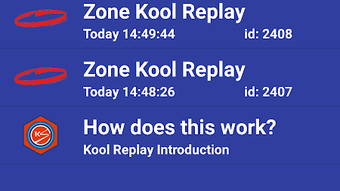
The user interface of Kool Replay appears to be designed for simplicity and speed, aligning with the app’s goal of instant video capture. Navigation is likely streamlined to minimize user input, focusing on automatic triggers when entering a capture zone. The workflow centers on proximity-based activation: users open the app, enter a designated area, and receive a video shortly after exiting.
Based on general software behavior patterns, the app likely maintains low latency during video capture and processing. However, exact performance details were not specified by the developer. Resource usage, such as CPU and RAM consumption, remains undisclosed. Stability is expected to be consistent within supported environments, but no information was provided about crash rates or background operation.
Given the app’s reliance on fixed cameras and network connectivity, performance may vary depending on the site’s infrastructure. Users should expect reliable operation when within a supported zone, though external factors like network congestion or camera calibration could affect results. The developer did not specify resource usage details, so users should rely on general Android performance norms when assessing impact.
Compatibility & System Requirements
Kool Replay is designed for Android operating systems, with the latest version available as of April 10, 2024. The app has a file size of 14.2 MB, indicating a lightweight installation that should not strain storage on most modern devices. The supported OS version was not explicitly stated, but the app is compatible with current and recent Android releases based on typical deployment patterns.
Exact system requirements were not listed, including minimum RAM, processor speed, or screen resolution. Hardware compatibility is limited to devices capable of running Android applications and supporting camera access. The developer did not provide information on whether the app supports older Android versions or specific device models.
Installation is straightforward, requiring only a standard APK download and setup. Users should ensure their device meets basic Android standards for app execution. Compatibility information is partially provided, and further details may be available through official site documentation.
Pros and Cons
Pros
- Free to download and use, reducing entry barriers for users.
- Delivers high-quality, professionally captured videos without manual effort.
- Eliminates the need for personal filming gear, simplifying the experience.
- Provides unique third-party perspectives that enhance video quality.
- Fast video retrieval with real-time processing after capture.
Cons
- Available only on Android, limiting access for iOS users.
- Dependent on participation of physical sites with fixed cameras.
- Functionality restricted to designated zones, reducing usability in open environments.
- No information on offline mode or data privacy policies.
- Exact system requirements and compatibility details were not disclosed.
FAQ Section
Is Kool Replay available for iOS devices?
Kool Replay is currently designed for Android operating systems. There is no official version available for iOS at this time.
Is the app secure and safe to download?
The app is distributed as a free APK and is developed by Kool Replay. As with any third-party download, users should ensure they obtain the file from a trusted source to minimize security risks.
How often does Kool Replay receive updates?
Version 1.2.5 was released on April 10, 2024. The update frequency has not been specified by the developer.
Does Kool Replay require an internet connection?
Yes, the app likely requires an active internet connection to communicate with fixed cameras and retrieve captured videos, especially during real-time processing.
Can I use Kool Replay offline?
There is no indication that the app supports offline functionality. All video capture and retrieval depend on active site infrastructure and network connectivity.
Final Thoughts + CTA
Kool Replay presents a unique solution for users seeking high-quality, effortless action video capture. By combining smartphone convenience with fixed camera technology, the app delivers cinematic footage from optimal angles—something traditional self-filming cannot match. Its free model and simple workflow make it accessible to a wide audience, particularly those engaging in adventure activities at participating venues.
While its availability is limited to specific locations and Android devices, the app excels in its niche. Users who value professional-looking videos without the hassle of gear or setup will find significant value in Kool Replay. The lack of detailed system requirements and offline capabilities are notable limitations, but the core functionality remains strong and well-executed.
For those looking to capture unforgettable moments with minimal effort, Kool Replay offers a compelling experience. Download Kool Replay now and start reliving your best action shots in stunning HD quality.
Guides & Tutorials for Kool Replay APK
How to install Kool Replay APK
- Click the Preview / Download button above.
- Once redirected, accept the terms and click Install.
- Wait for the Kool Replay APK download to finish on your device.
How to use Kool Replay APK
This software is primarily used for its core features described above. Open the app after installation to explore its capabilities.
User Reviews for Kool Replay APK 0
No reviews found





